Collection: Bambu TPU Printing Solution
The Bambu TPU Printing Solution Series is a purpose-built ecosystem of printing accessories designed exclusively to solve the most common pain points of TPU filament on Bambu Lab 3D printers, including severe stringing, extruder jams, high failure rates, slow printing speeds, and poor bed adhesion.
Common Bambu TPU Printing Problems & Challenges
TPU filament is notoriously difficult to print on BambuLab printers, with high failure rates, severe stringing, poor flexibility, slow print speeds, and inconsistent feeding—especially with the AMS system.
Bambu TPU Stringing & Oozing Issues
Bambu TPU prints frequently suffer from heavy stringing and oozing, which ruin surface finish, dimensional accuracy, and lead to excessive material waste and failed parts.
Bambu Lab TPU Jams & High Failure Rates
BambuLab TPU often causes frequent extruder jams, inconsistent extrusion, and unreliable prints, even with default printer settings and standard hardware.
Bambu AMS TPU Feeding & Speed Limitations
Bambu AMS TPU compatibility issues result in feeding errors, unstable flow, slow print speeds, and reduced flexibility in finished functional parts.
How to Use the Bambu TPU Printing Solution
-
Step 1
Dry TPU Filament Properly to Eliminate Moisture Issues
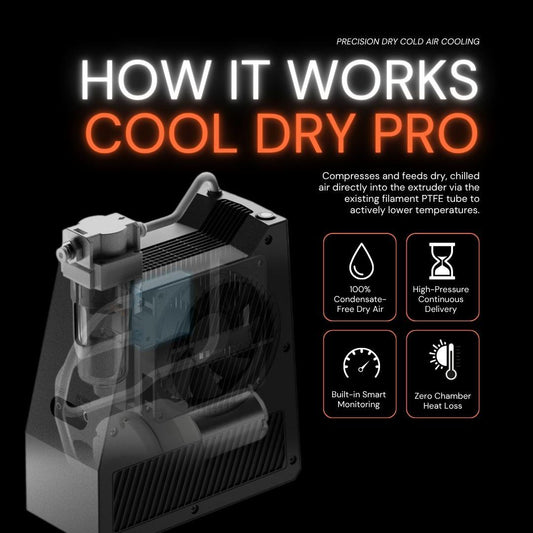
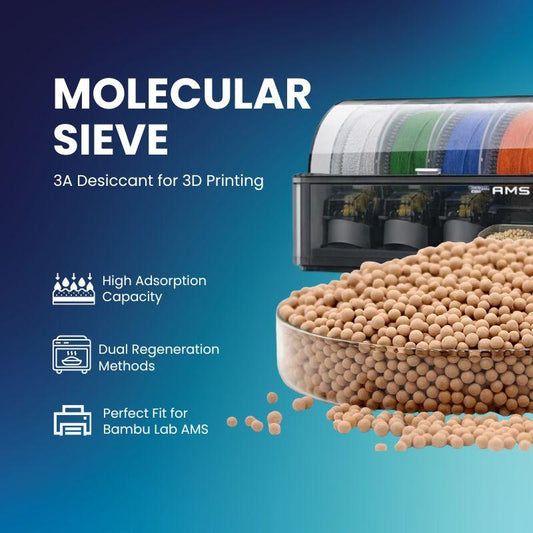
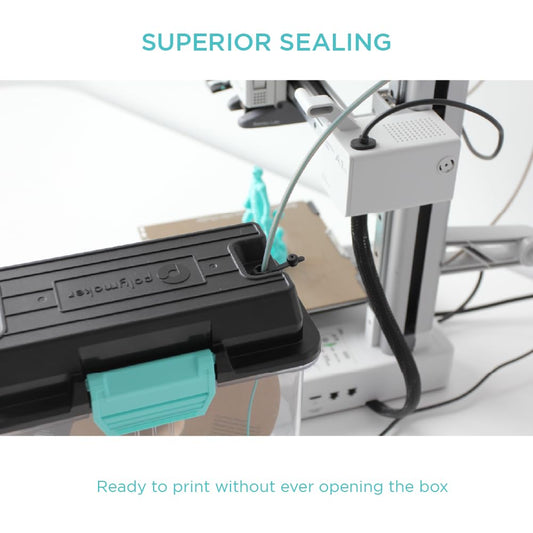
Start by fully drying your Bambu Lab TPU filament to remove moisture, the root cause of many stringing, popping, and extrusion issues for Bambu TPU setups. Keep it sealed during printing with a dry box and molecular sieve desiccants, or dry and print simultaneously for continuous operation. In high-humidity environments, if the PTFE tube remains connected during printing, we also recommend use a Cooldry Pro to lower the TPU temperature and help keep the feed tube dry while printing. Store unused TPU in a sealed bag with vacuum sealing if not used for a short period.
-
Step 2
Optimize Feeding for Bambu AMS TPU (Avoid AMS Direct Feeding)
For stable Bambu AMS TPU printing performance, do not feed TPU through the AMS directly. Instead, run filament from the rear of the printer. Print a top‑down spool holder from MakerWorld and install a dedicated TPU Buffer or feeding system to guarantee smooth, jam‑free feeding for your Bambu AMS TPU setup.
-
Step 3
Optimize Model Orientation & Supports for BambuLab TPU
Optimize your model orientation in the slicer for BambuLab TPU by laying parts horizontally instead of vertically to improve stability and surface quality. Adjust support settings accordingly: for complex geometries, switch to tree supports to reduce contact marks, ease removal, and prevent damage to flexible TPU parts.
Print Results: Before & After
See the dramatic improvement after applying our recommended settings and upgrades for Bambu Lab printers.
-
Bambu Lab TPU Feed Assist Module
Regular price $59.99Sale price $59.99 Regular priceUnit price / per$64.99Sale -
TPU Filament Buffer – Synchronized Feeding for Flexible 3D Printing
Regular price From $38.99Sale price From $38.99Unit price / per -
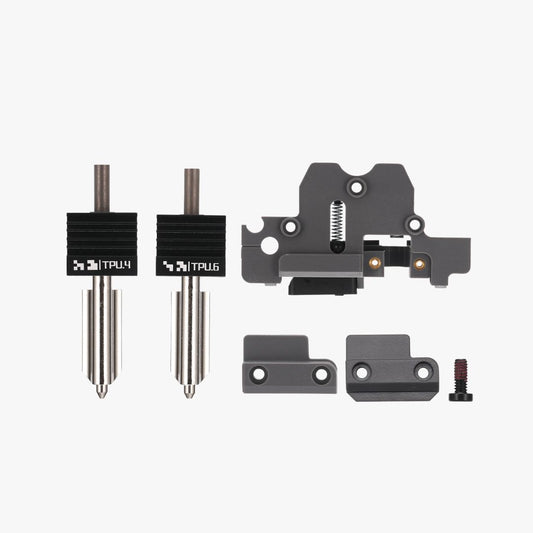
Bambu TPU Nozzle & Hotend | H2D TPU High-Flow Kit
Regular price $41.99Sale price $41.99Unit price / per -
CoolDry Pro Extruder Cooler - Dry Cold Air Hotend Cooling for Enclosed 3D Printers
Regular price From $169.99Sale price From $169.99 Regular priceUnit price / per$199.99Sold out -
Molecular Sieve 3D Printing | 3A Desiccant for Bambu Lab AMS
Regular price $23.99Sale price $23.99Unit price / perSold out -
Call3D C-Plate for Bambu Lab A1 Mini
Regular price $16.99Sale price $16.99 Regular priceUnit price / per$19.99Sale -
PolyDryer Box — Sealed Filament Storage (Standard & XL)
Regular price From $43.99Sale price From $43.99Unit price / per
FAQs about Bambu TPU Printing Solution
Do I have to print a spool holder for TPU feeding?
It depends on the material. Filaments with shore hardness 95A and above can be fed directly from the back of the printer. However, softer TPU materials require smoother feeding. Besides using a top-mounted printed holder, ensure your feed rollers run smoothly with proper lubrication. We recommend DIY bearing-style accessories for better performance, and a TPU Buffer can also help achieve consistent feeding for BambuLab TPU.
My extruder keeps clogging after removing filament from the extruder and starting a print. How to fix this?
TPU is prone to thermal creep just like PLA, and the key solution is cooling. We recommend printing with the door open, using a cold plate, or using Cool Dry Pro to cool the TPU at the hot end—these methods will effectively resolve the clogging issue.
Will this solution work with other Bambu Lab printer models?
Please refer to the filter menu on the left sidebar to verify supported models. For inquiries about other machines, contact us at support@call-3d.com for further confirmation.
Is there a detailed video for setting up these solutions?
Yes. Follow our Call3D YouTube channel, search for the setup video, and bookmark it.
Expert Testimonial
-
I’ve known Enderwick since 2014 and worked alongside him for many years. With over a decade in the industry, he and his team bring an extremely high level of expertise.He has built an enormous 3D printing community here in China and is always coming out with new solutions—each one never fails to impress me.
Daniel O'ConnorDeputy Vice President of TCT Magazine -
When EP invited me to Shenzhen back in 2019, I was absolutely blown away by the hardware innovation coming out of China. Just one year later, Bambu Lab burst onto the scene—and their solutions have grown right alongside Bambu, evolving from the very beginning to where they are today.
Chris ConneryVP for Global Analysis at CONTEXT